RadioX 26.0.0 (35)
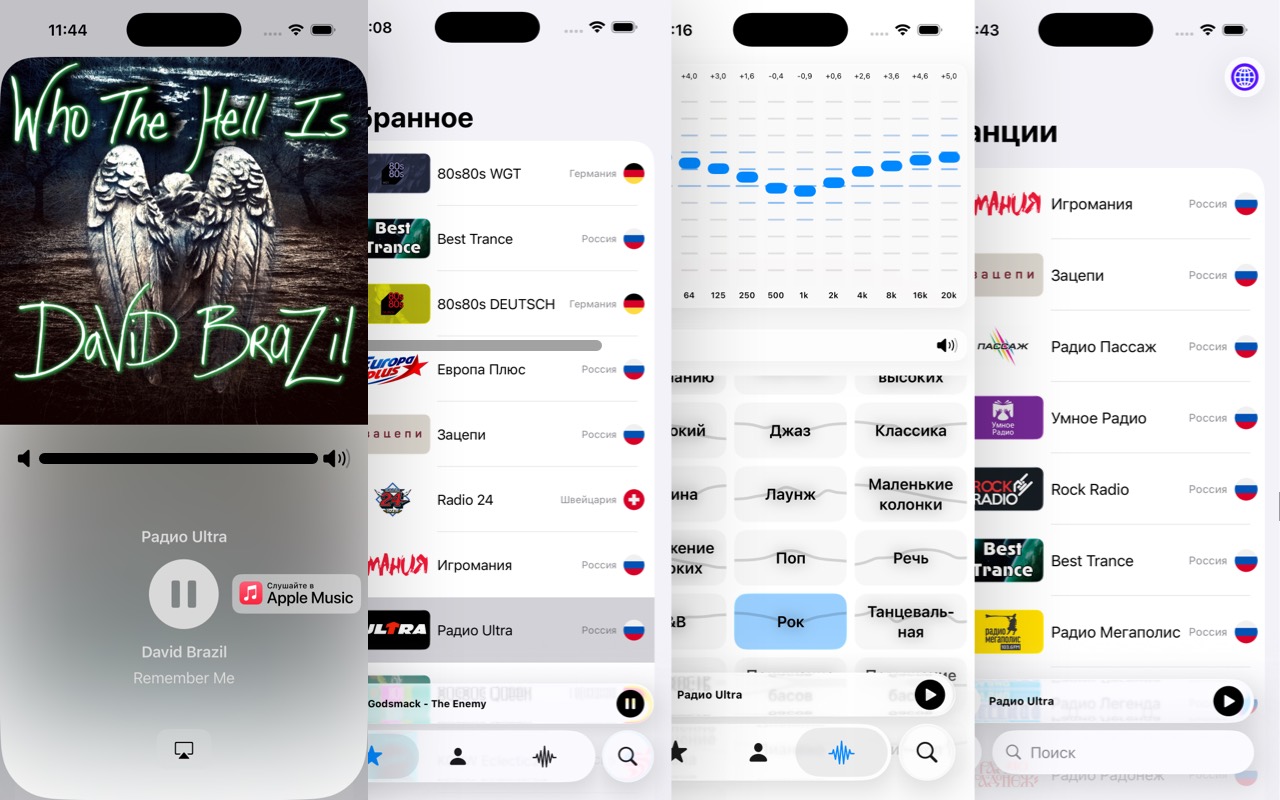
In the Radio app, you will find over 90,000 radio stations from around the world. Enjoy a huge selection of music genres—from alternative, electronic, and metal to jazz and classical music—available in various languages, including Italian, Spanish, French, German, Russian, and Portuguese.
App Features:
- Access to more than 90,000 radio stations
- User-friendly and minimalist design
- Support CarPlay
- Last.fm scrobbling to track your listening history
- Playback history display
- 12-band equalizer for precise sound tuning
- Ability to extract audio tracks from Apple Music
- Dark and light theme modes
- Support for Russian, English, German, and Slovak languages
RadioX puts more than 90,000 radio stations from around the world on your iPhone and iPad: alternative, electronic and metal, jazz and classical music, news and talk radio, in dozens of languages.
It is more than a list of streams. Live radio can be paused and rewound, recorded to a file, and heard in the car through CarPlay, while the tracks you hear go to Last.fm on their own.
STATIONS
• A catalog of more than 90,000 stations with search and a country filter
• Favorites in the order you choose: drag to reorder
• Your own stations: add a stream by its address and pick an artwork, synced through your account
• A choice of stream when a station broadcasts several
PLAYER
• Artist, title and album artwork for the current track, with animated artwork where Apple Music has it
• Open the current track in Apple Music in one tap
• A history of the tracks that have played
• Pause and rewind live radio: the last 5, 10 or 20 minutes stay in the buffer
• Record live radio to a file, in any stream format, HLS included
• Sleep timer: after a set time or at a set hour
• Start the last station automatically when the app launches
SOUND
• 12-band equalizer with presets
• Equalizer settings remembered for each station
• AirPlay
EVERYWHERE ON THE DEVICE
• Widgets: Now Playing on the Home Screen and the Lock Screen, and Favorites that start a station in one tap
• A Control Center and Action button toggle for the last station
• Siri and Shortcuts
• CarPlay
• Handoff: carry on with the same station on your Mac
LAST.FM
• Tracks are scrobbled on their own, or with a single button
INTERFACE
• Made for iPhone and iPad, in portrait and landscape: a station grid and a two-column player on wide screens
• Light, dark or system appearance
• English, German, Russian and Slovak
Requires iOS 26 or later.
Version history
• Fixed a crash when switching stations quickly in the alternative player.
• A station that does not answer gives up after 10 seconds instead of 30 and no longer holds up the next one.
• Fixed a crash in search when the iPhone app runs on a Mac.
Widgets and Siri
• Now Playing widget on the Home Screen and the Lock Screen, with the track artwork or the station logo.
• Favorites widget: one tap starts a station without opening the app.
• A Control Center and Action button toggle for the last station, plus Siri and Shortcuts.
Live radio
• Pause and rewind live radio: the last 5, 10 or 20 minutes stay in the buffer, and returning to live is instant.
• Recording matches what you hear in any stream format, HLS and FLAC included; recording time and size sit next to the record button.
• HLS streams and .m3u/.pls playlists are recorded as audio instead of saving the playlist file.
• Sleep timer: after 15 minutes to 2 hours, or at a set hour.
iPad and landscape
• RadioX now runs on iPad and in landscape on iPhone: a station grid for search and favorites, a two-column player and a two-column equalizer.
• Favorites can be reordered by dragging.
Last.fm
• Tracks are scrobbled on their own: a track that played for at least 30 seconds goes to Last.fm with the time it started.
Also
• The station logo is shown when the track has no artwork; your own stations show their own artwork.
• Start the last station automatically when the app launches.
• A choice of server in Settings: main or backup.
• Favorites scroll to the station that is playing.
• The large player no longer closes when the station list refreshes; switching stations quickly is reliable.